 Beast
Beast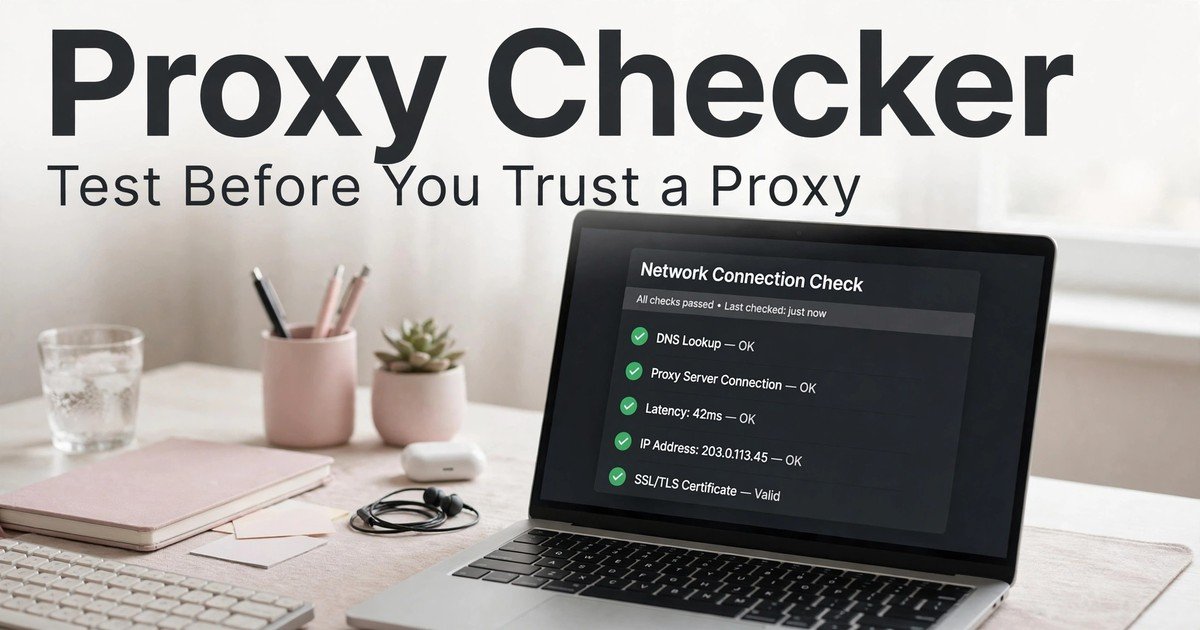
By Ajay Mishra, Team BeastBrowser
The short answer: never assign a proxy to a real account unformatted and untested. BeastBrowser's free proxy syntax parser turns a raw proxy string into clean, ready-to-use formats — HTTP/SOCKS5 connection strings, a cURL command, and code snippets — in seconds. One honest boundary up front: this tool formats and parses; it does NOT test whether a proxy connects, where it shows up, or how fast it is. Those live checks are separate steps in the routine below, and skipping them has cost me more accounts than any fingerprint setting ever did.
A proxy is not a product you can judge from a sales page. Two proxies from the same provider, bought the same day, can behave completely differently — one clean, one already burned. Formatting it correctly is step one; verifying it live is step two. Here is the full routine.
What this tool actually does
Paste a raw proxy string and it parses it into standardized formats: IP:Port, IP:Port:User:Pass, User:Pass@IP:Port, and URI schemes like http://, https://, and socks5://. Out come a clean HTTP / HTTPS proxy format, a SOCKS5 format, a ready cURL terminal command, and formatted code snippets for Python and Node.js. It runs in your browser, no signup. If you have ever pasted a proxy into a tool only to be told the format was wrong, this is the ten-second fix — one string in, every correct format out.
What it does NOT do
It does not connect through your proxy, so it cannot tell you whether the proxy is alive, which city it shows, or how fast it loads. Those are live-network checks, and they happen elsewhere in this routine: the in-app proxy manager, a browse-through test, and the IP lookup tool. Any guide that claims a syntax parser measures speed or location is misdescribing the tool — including the earlier version of this post, which I have corrected here.
The full routine, before anything else
| Step | What I do | Where it happens |
|---|---|---|
| 0. Format it | Parse the raw string into a clean HTTP/SOCKS5 format and cURL command | The free proxy syntax parser |
| 1. It connects at all | A working connection through the proxy, not a timeout or refused connection | In-app proxy manager / browse-through test |
| 2. Location matches the label | The city and country the connection shows match what I bought and what the profile will claim | IP lookup + in-app checks |
| 3. Speed is workable | Pages load at a pace a real person would tolerate, without long stalls | Browse a normal site through the proxy |
| 4. It is truly mine for this profile | One proxy, one profile, never shared across accounts I care about | BeastBrowser proxy manager assignment |
1. A dead proxy is the kindest failure
Dead is honest. The connection refuses, the page never loads, and you know within seconds. I actually prefer a dead proxy to a half-working one, because there is nothing to argue about — it goes back to the provider with a screenshot of the failed check. The dangerous proxies are the ones that work just well enough to waste a week of account warm-up before they collapse mid-campaign.
My rule: a proxy that fails twice, an hour apart, is dead. No third chances, no "maybe the provider is fixing it." Accounts are worth more than the few dollars a replacement costs.
2. Location is a promise, not a label
When a provider sells a "Chicago" proxy, what matters is not the label on the invoice — it is where geolocation databases place that IP, because platforms read the same databases. If the live check shows the connection coming from a different city, I treat that city as the truth. An account built to "live" in Chicago, logging in day after day from an IP the databases place elsewhere, accumulates a quiet inconsistency that eventually reads as location spoofing.
This is also why I check location again after assigning, not just before buying. IPs get recycled, ranges get re-registered, and a proxy that showed one city in January can show another by March. A ten-second re-check when an account gets flagged is the cheapest diagnosis I have.
3. Speed is a fingerprint too
People think of speed as comfort. Platforms read it as behaviour. A human browsing on a home connection loads pages in a familiar rhythm; a proxy that stalls for seconds on every request, then bursts, does not look like any human at all. I do not need a number to judge this — I open a normal site through the proxy and watch. If it feels broken to use, it will look broken to a fraud system as well.
Slow proxies still have a place: background research, price checks, public pages nobody logs into. What they do not get is a logged-in account with history worth protecting.
4. One proxy, one profile — the rule I never bend
Everything else in this guide is negotiable. This is not. Two profiles sharing one IP are two accounts sharing one identity signal, and when one of them gets flagged, the other is already on the same list. I have seen people lose five accounts in an afternoon because they "temporarily" shared a proxy while waiting for a replacement. The temporary setup is always the one that gets remembered.
BeastBrowser's proxy manager exists for exactly this discipline: every profile carries its own proxy assignment, so the rule is enforced by the setup itself rather than by memory.
What no single check tells you
An honest boundary, because a tool that over-promises is worse than no tool. Formatting tells you the string is valid. Live checks tell you about the network layer: connectivity, shown location, speed. Neither tells you anything about the browser fingerprint — canvas, WebGL, fonts, hardware signals — which is the other half of how platforms link accounts. A clean proxy with a leaking fingerprint still gets linked. That is why formatting is step zero of a longer routine, with the free fingerprint test and the WebRTC leak test in between to catch a real IP slipping out behind the proxy. Format clean, network clean, fingerprint consistent — that is the bar before a profile goes live.
BeastBrowser se kaise karo
Yeh mera actual workflow hai, naya proxy aane pe:
- Format karo: free proxy syntax parser kholo, raw string daalo, aur clean HTTP/SOCKS5 format + cURL command le lo. Galat format ki wajah se setup atakna ab band.
- Assign karo: proxy manager me us profile ko apna dedicated proxy do. Ek profile, ek proxy — koi sharing nahi, koi exception nahi.
- Live verify karo: us proxy se ek normal site kholo. Connect ho raha hai ya nahi, yahi pehle pata chalega; speed bhi yahi dikhegi.
- Location verify karo: IP lookup se jo city/country dikhe, wahi profile ka sheher hoga. Label pe bharosa mat karo — live check jo dikhaye, wahi sach hai.
- Profile match karo: us profile ka timezone aur language proxy ke city se set karo. IP ek sheher ka, profile doosre time zone pe — yeh galti mat karo.
- Baaki do check bhi karo: WebRTC leak test se confirm karo ki asli IP leak nahi ho raha, aur fingerprint test se browser signals check karo. Sab clean, tabhi profile live.
Poora setup free plan pe test ho jata hai — koi card nahi lagta. Jab scale karo, $30/month flat me unlimited profiles, proxy store aur RPA recorder sab included hai.
FAQ
Does this tool test whether my proxy works?
No — it parses and formats proxy strings. To verify a proxy is alive, fast, and showing the right city, run it through the in-app proxy manager and browse a normal site through it, plus the IP lookup for location.
Is BeastBrowser's proxy syntax parser really free?
Yes — it runs in your browser with no signup, and the whole free-tools directory works the same way.
How often should I re-check a proxy?
Every time you assign a new proxy to a profile, and again the moment an account on that proxy gets flagged. IPs get recycled and reputations change; a check takes under a minute.
My proxy works but shows the wrong city. Problem?
Usually, yes. Give a brand-new range a few days for databases to catch up — but a persistent mismatch means configure the profile to the city the IP actually shows, or ask for a replacement. Never build a location-sensitive account on a mismatch and hope nobody notices.
Does a clean format mean my setup is undetectable?
No. It means the string is valid. Live checks and browser fingerprinting are separate layers — run those as well, and keep one isolated profile per account.
Can I share one good proxy across two low-value accounts?
You can, but I would not. The day one of them gets flagged, the other inherits the problem. Cheap proxies are cheaper than rebuilt accounts.
Try it now: format your next proxy before it touches a real account — then download BeastBrowser free and give that clean proxy its own isolated profile.
Ajay Mishra
Team, BeastBrowser · Updated October 2026
Sources & Credits
- BeastBrowser free Proxy Syntax Parser & cURL Generator — https://beastbrowser.com/free-tools/proxy-checker-tester
- BeastBrowser free tools directory — https://beastbrowser.com/free-tools/
- BeastBrowser free IP Lookup — https://beastbrowser.com/free-tools/ip-lookup
- BeastBrowser free WebRTC Leak Test — https://beastbrowser.com/free-tools/webrtc-leak-test
- BeastBrowser free Fingerprint Test — https://beastbrowser.com/free-tools/browser-fingerprint-test
