Beast
Short answer: Cloud browser profiles live on the vendor's server and sync to any device; local browser profiles live on your own PC. Cloud wins on anywhere access and team sharing. Local wins on privacy, speed and custody — your accounts are never stranded if a subscription lapses or a vendor shuts down. BeastBrowser is local-first: profiles stay encrypted on your machine, with transfer packs for backup and handover.
Every antidetect browser makes one decision before all others: where do your profiles actually live? It decides who can read your cookies, what happens when you stop paying, and how fast a profile opens on a Monday morning. Vendors market the two models — cloud and local — as if one were simply newer. They are not better and worse; they are different bundles of trade-offs, and the right bundle depends on how you work. This guide compares them honestly, including the cases where cloud is the correct answer and BeastBrowser is not. Then it explains how BeastBrowser's local model — one account, one PC, encrypted transfer packs — is designed to keep the local downsides small.
What 'cloud' and 'local' actually mean
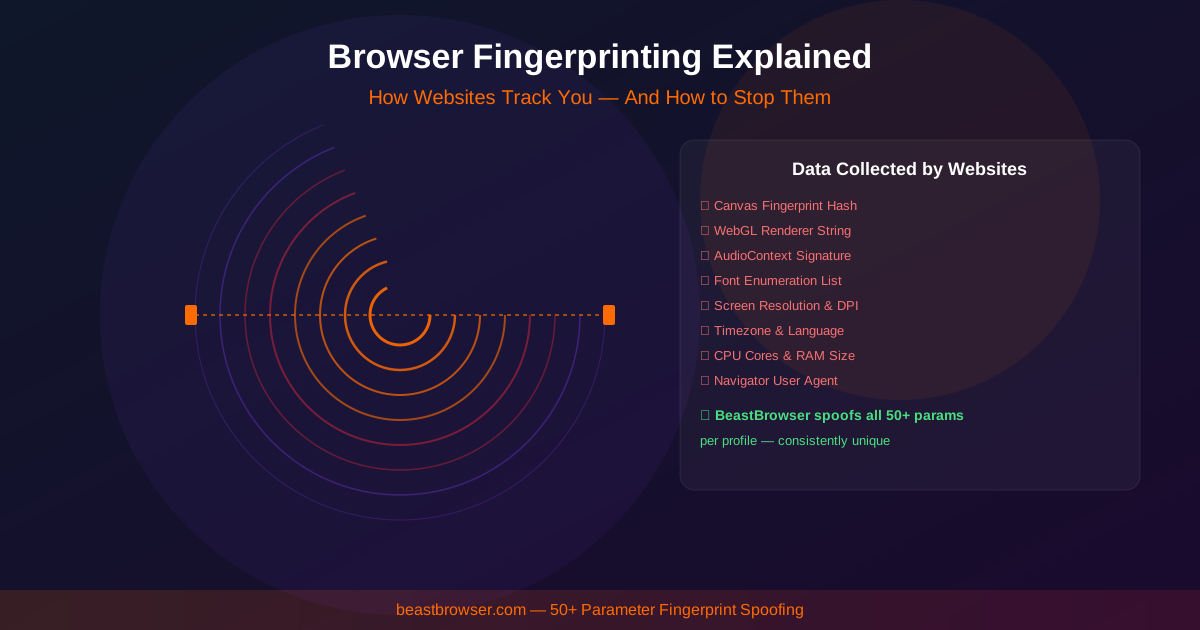
A browser profile is a folder. Inside it sit the cookies, local storage, cache and saved logins for one account, plus the fingerprint configuration the browser presents to websites — user agent, screen size, graphics card, timezone, fonts and language. The cloud-versus-local question is simply where that folder lives.
With a cloud profile, the folder is stored on the vendor's servers. You sign in from any machine, the app pulls the folder down, and changes sync back when you close it. With a local profile, the folder sits on your own hard drive and the app reads and writes it directly — nothing travels anywhere.
Some tools refuse to choose. GoLogin and Multilogin are hybrids: they offer cloud sync and local storage in the same product, and let you pick per workflow. BeastBrowser is deliberately not a hybrid; the sections below show where that trade pays off — and where it does not.
Cloud profiles: honest strengths
Cloud profiles earn their keep in four ways. First, anywhere access: your laptop dies on a Monday, you sign in on a spare machine, and every profile is there. Second, team sharing — a media buyer in Delhi and an assistant in Manila can open the same profile with the same cookies and history. Third, there is no local hardware ceiling: five hundred profiles fill neither your disk nor your RAM. Fourth, backup is automatic — the vendor keeps copies, so a dead hard drive is an inconvenience, not a disaster.
The trade-off is custody. Your cookies and sessions sit on a vendor's server, protected by their security, their staff policies and their business survival. Stop paying — or the vendor shuts down or locks your account in a dispute — and the profiles, and the accounts inside them, can be stranded. You are renting the drawer your most sensitive data sleeps in.
Local profiles: honest strengths
Local profiles keep the drawer in your own house. The privacy gain is real: cookies, sessions and fingerprint data never leave your machine, so there is no vendor database to breach and no third party holding your accounts. Speed is the everyday win — a profile opens straight from disk, with no sync wait. Local profiles also work offline, and the cost stays flat: your disk is the storage, so profile number five hundred costs the same as profile number five.
The costs are equally real. A licence tied to one PC means a second machine is a second seat. Hardware failure is your problem — if the disk dies and you never backed up, the profiles die with it. And there is no live team sync: sharing means handing over a copy, not opening the same live profile together.
The three questions that decide it
Most buyers do not need a bigger feature table; they need to answer three questions honestly.
One: who else needs these profiles? If it is only you, cloud sync is a convenience you are paying rent for; if a distributed team genuinely opens the same profiles every day, sync is the whole point. Two: what happens if the vendor disappears? With cloud storage, a shutdown can strand the accounts your income depends on; local data outlives the vendor's website. Three: what does your threat model actually fear? Platform linking is about fingerprint coherence, not storage location. A breach exposing every account you own at once is the cloud concentration risk.
- Solo media buyer running their own accounts: local — custody and flat cost win, and there is nobody to sync with.
- Distributed agency team sharing client accounts daily: cloud — live shared access is the honest requirement.
- Researcher with scripts and automation: either — test both; the API and workflow fit will decide before storage does.
How BeastBrowser does local without the downsides
BeastBrowser's answer to the local downsides is design, not denial. Profiles are stored on your PC, encrypted; the details are on our Local Profiles page. Encrypted transfer packs let you export a profile and import it elsewhere — a real backup and a controlled way to hand an account to a colleague. Groups, templates and a launch queue keep hundreds of local profiles organised, and the local API, MCP server, RPA and synchronizer cover automation, with an in-app Proxy Store for buying proxies in the same window.
Pricing is one flat rate: $30/mo for unlimited profiles, or $199/yr, and the free plan allows up to 5 local profiles per day with no card required. See Pricing for the current plans. The app runs on Windows 10/11 and macOS (Apple Silicon), with 24/7 support including WhatsApp. The licence limit is stated plainly: 1 account = 1 PC. That is the price of custody — and for a fair fight against a hybrid rival, read the full BeastBrowser vs GoLogin comparison.
FAQ
Are cloud browser profiles safer than local ones?
Different risks, not more or less safe. Cloud storage concentrates every account in one vendor database — a single breach exposes all of them. Local storage puts the risk on your own machine's security and habits instead.
Can I move profiles between PCs with BeastBrowser?
Yes. Encrypted transfer packs export a profile from one PC and import it on another, which covers backups and handovers. The licence itself stays 1 account = 1 PC — a pack moves a profile; it is not a second seat.
Do cloud profiles get detected more easily?
There is no evidence either way. Detection systems judge whether a profile's signals agree with each other — fingerprint coherence — not where the profile folder is stored. Any tool that guarantees you will not be detected is overpromising.
Which model is cheaper?
It depends on the count. Cloud tools charge per profile and per seat as you scale: GoLogin Professional with 100 profiles is $39/mo, and Multilogin Pro starts at $11/mo monthly ($7.08 billed annually) for 10 profiles. BeastBrowser is $30/mo flat for unlimited profiles on one PC, so the flat rate wins as the numbers grow.
Can a team share local profiles?
Only by handover, not by live sharing. Transfer packs pass a profile to a teammate in a controlled way, but two people cannot work in the same live local profile at once. Teams that need simultaneous shared access are the honest cloud case.
Sources & Credits
Prices and plan details checked against these pages on 3 November 2026.
One question for you: how many machines do you actually open your profiles on in a normal week — one, or several? Your honest answer to that decides this whole comparison faster than any feature table.
By Ajay Mishra, Team BeastBrowser